Quick Answer
Before approving a workstation sink sample, check the sink and accessories as one system.
The critical points are:
- ledge width, height and flatness
- cutting board, colander and rack fit
- accessory movement and stability
- bottom grid clearance
- drain position
- bowl and overall dimensions
- installation geometry
- material and thickness
- finish and accessory color
- sound pads and undercoating
- complete accessory list
- packing arrangement
A workstation sink can pass basic sink inspection and still fail in use if the accessories rock, bind, fall through the ledge or interfere with the drain.
Approve the complete workstation system, not the sink body alone.
1. Start with the Ledge
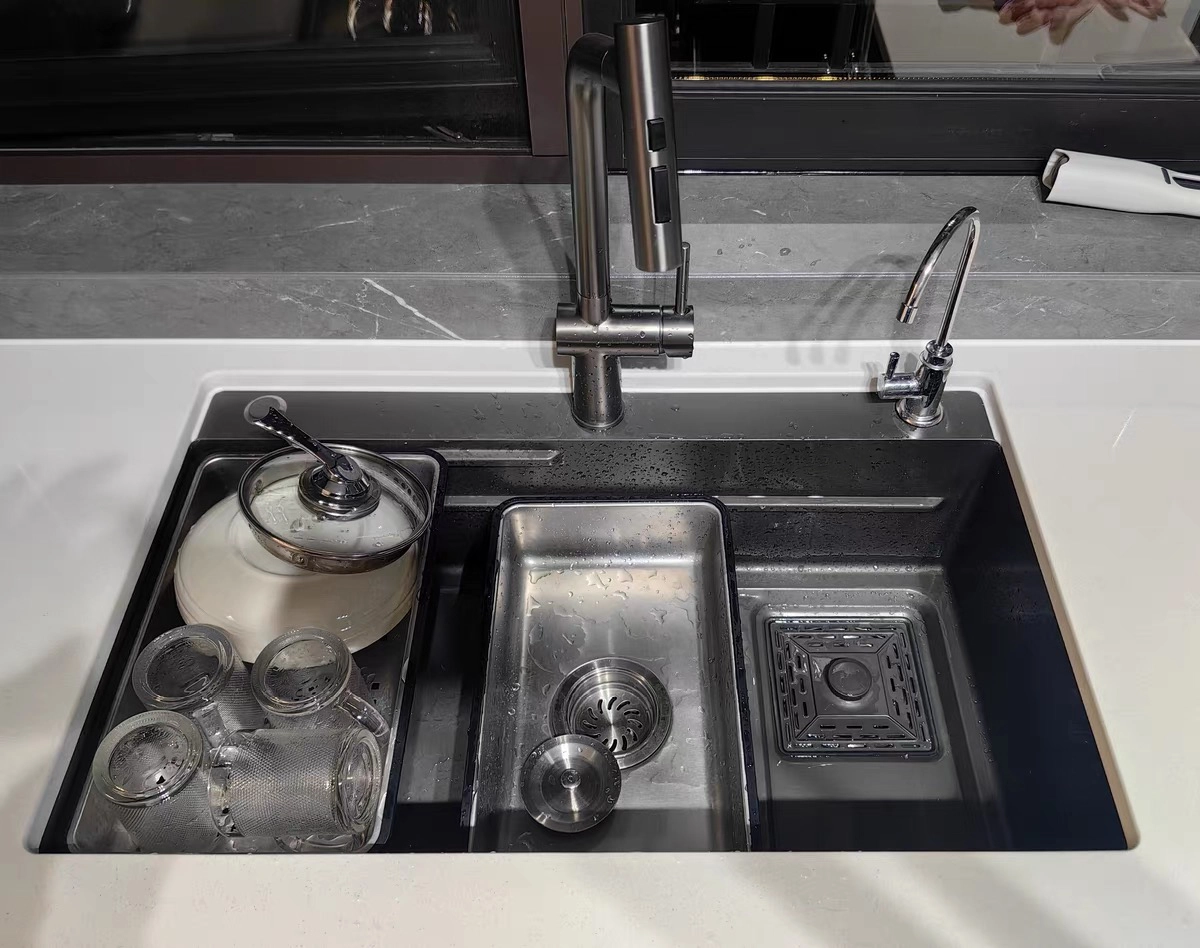
The ledge is what turns a standard sink into a workstation sink.
Before approving the sample, check:
- ledge width
- ledge height
- ledge position
- ledge flatness
- left-to-right consistency
- front-to-back consistency
The accessory must have enough support to sit securely without excessive movement.
If the ledge geometry changes, the same cutting board or colander may no longer fit correctly.
For current product structures, see Workstation Kitchen Sinks.
2. Put Every Accessory on the Actual Sink
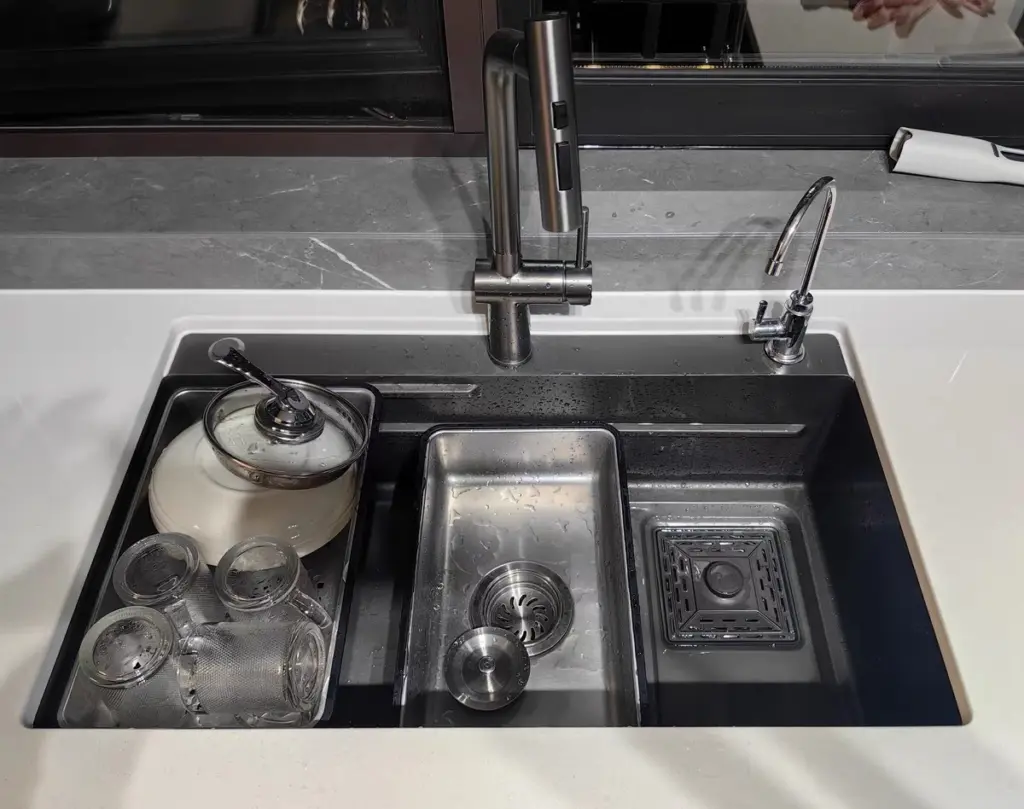
Do not approve accessories separately on a table.
Install or place them on the real sample.
Check the complete set:
- cutting board
- colander
- roll-up rack
- basket
- bottom grid
- drain
Then ask:
Does each accessory fit the sink it will actually be packed with?
A catalog dimension is not enough.
3. Check Sliding Accessories Across the Full Ledge
A cutting board may fit at the center but bind near one end.
Slide the accessory across the usable ledge.
Check for:
- excessive looseness
- binding
- rocking
- uneven support
- contact with the bowl wall
- sharp interference points
For a workstation program, fit should be evaluated across the working area, not at one position only.
4. Cutting Board Fit
Check:
- board width
- support area
- side clearance
- movement
- stability under light downward pressure
The board should not rely on the bowl wall for support if the design is intended to sit on the workstation ledge.
Also confirm the approved material and finish.
A replacement board from a later order should follow the same specification.
5. Colander Fit
For a sliding or drop-in colander, check:
- width
- depth
- ledge support
- free movement
- handle clearance
- bowl-wall clearance
If the colander is too tight, it may scratch the sink or become difficult to move.
If it is too loose, the customer may perceive the set as poorly matched.
6. Roll-Up Rack Fit
The roll-up rack is flexible, but that does not mean its dimensions are unimportant.
Check:
- usable width
- support on both sides
- whether it sits level
- whether it interferes with faucet or drain components
- rolled-up size for packing
For private-label products, also freeze the rack color and material if those details are part of the SKU.
7. Bottom Grid and Drain Must Be Checked Together
The bottom grid is often designed around:
- bowl dimensions
- corner radius
- drain position
So do not approve the grid before the drain location is final.
Check:
- grid length and width
- corner fit
- feet position
- clearance from bowl walls
- drain opening alignment
- clearance around the strainer
If the drain moves later, the grid may also need to change.
8. Drain Position Changes the Workstation
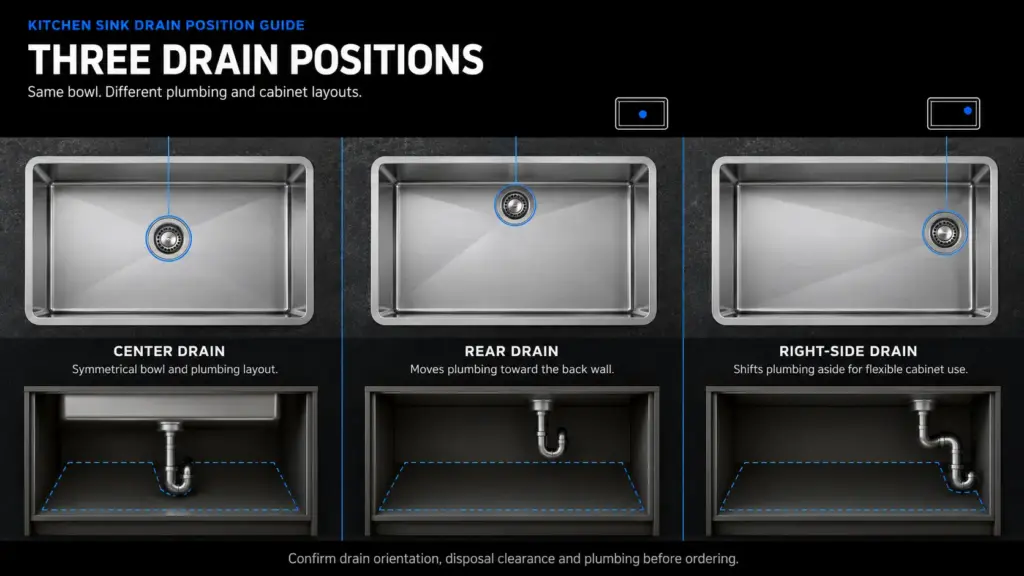
Drain position is not only a plumbing decision.
It also affects:
- usable bowl area
- bottom grid layout
- disposal clearance
- accessory workflow
- under-sink storage
For example, a rear drain may leave more uninterrupted working area in the bowl than a centered drain.
Before sample approval, freeze the drain position in the drawing rather than leaving it as a verbal instruction.
9. Confirm Sink Dimensions Separately from Accessory Dimensions
Record the sink itself:
- overall length and width
- bowl opening
- bowl depth
- corner radius
- rim / flange
- workstation ledge
- drain position
Then record the accessories separately.
This matters for repeat orders.
If the sink stays the same but the accessory supplier changes, the buyer still needs a clear reference for what must fit.
10. Check the Installation Geometry
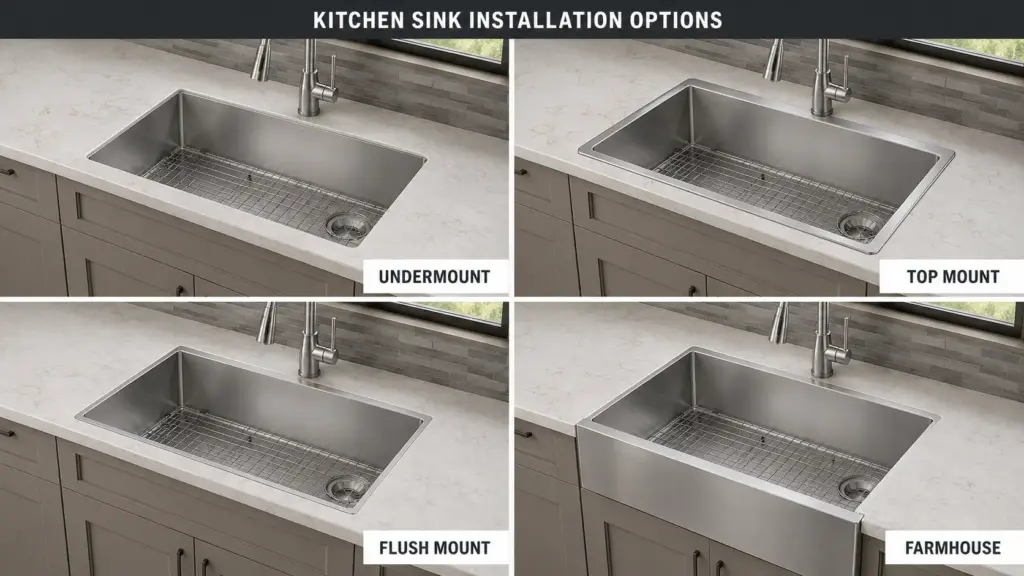
Workstation functionality means little if the sink does not install correctly.
Confirm:
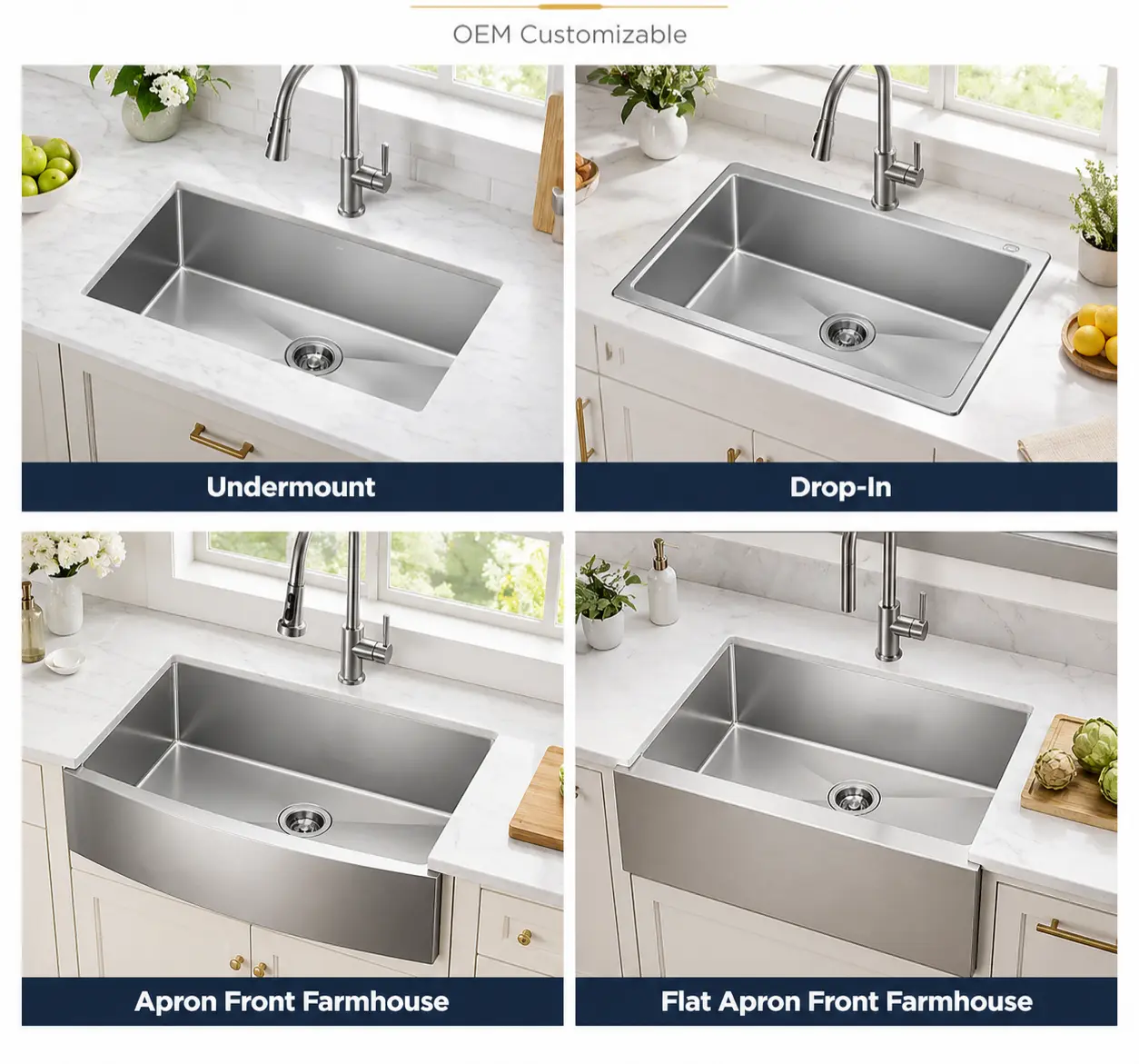
- undermount / top mount
- flange width
- countertop opening
- mounting clips where applicable
- rim flatness
- faucet-deck requirements where applicable
For project or custom programs, installation dimensions should be part of the approved drawing.
Matrix’s Custom Kitchen Sink Programs explains why installation, dimensions and accessories should be defined together rather than separately.
11. Check Material and Thickness
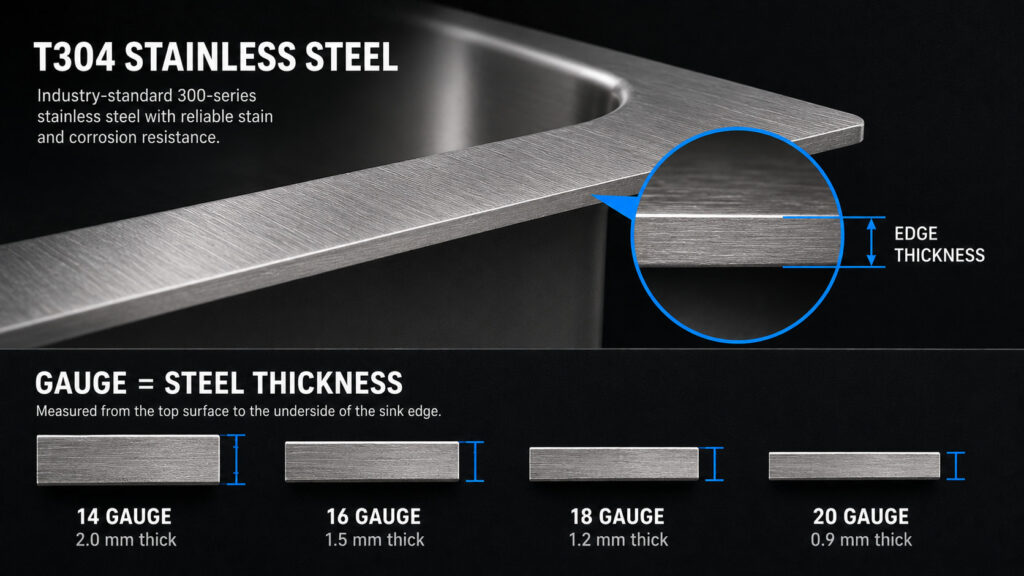
Record:
- SUS grade
- bowl thickness
- reinforced rim / plate thickness if different
- manufacturing method
Do not approve only:
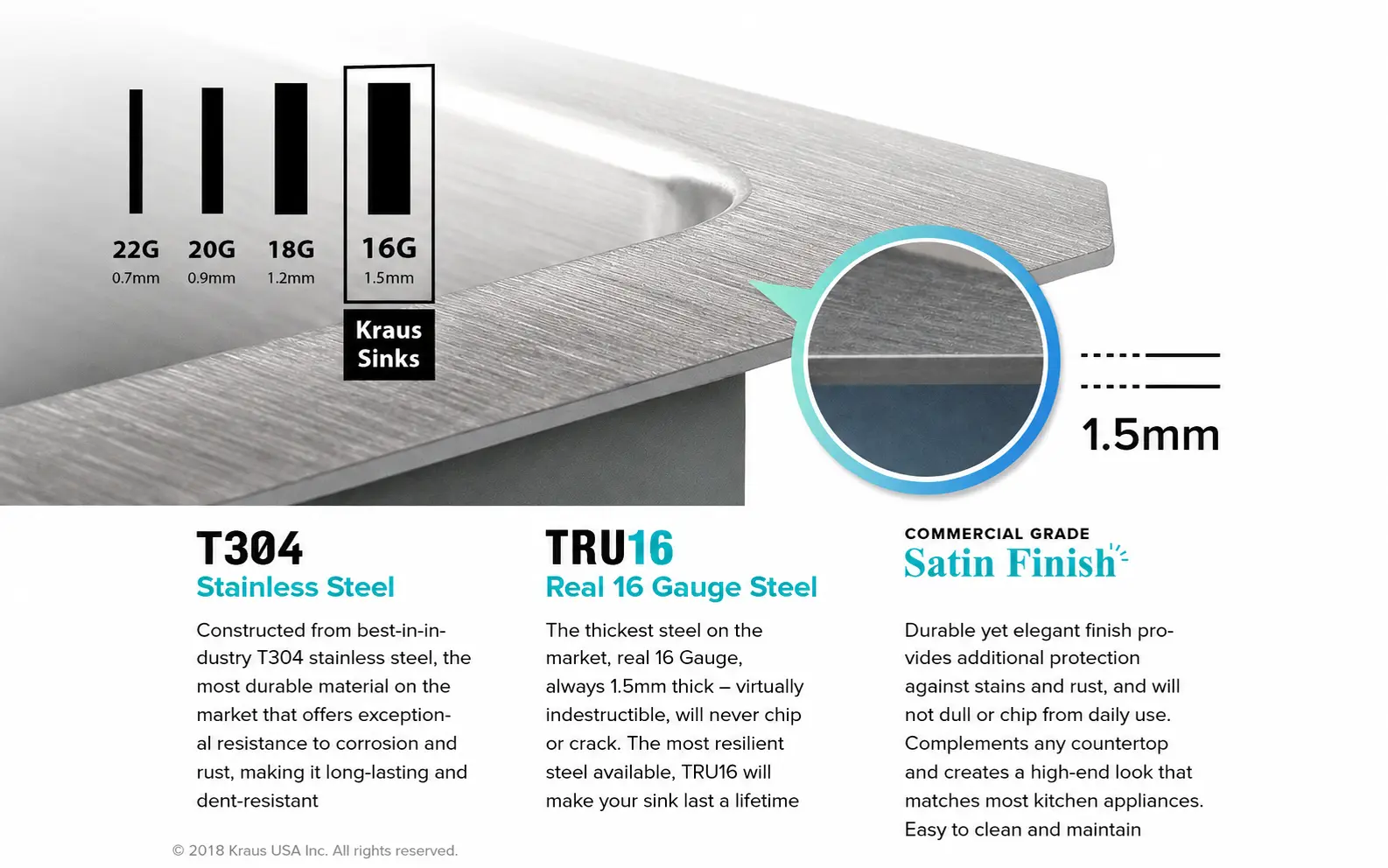
16 Gauge Workstation Sink
if the construction uses more than one thickness.
For pressed workstation models, also clarify whether the stated thickness refers to starting sheet or finished measurement.
12. Approve the Finish with the Accessories
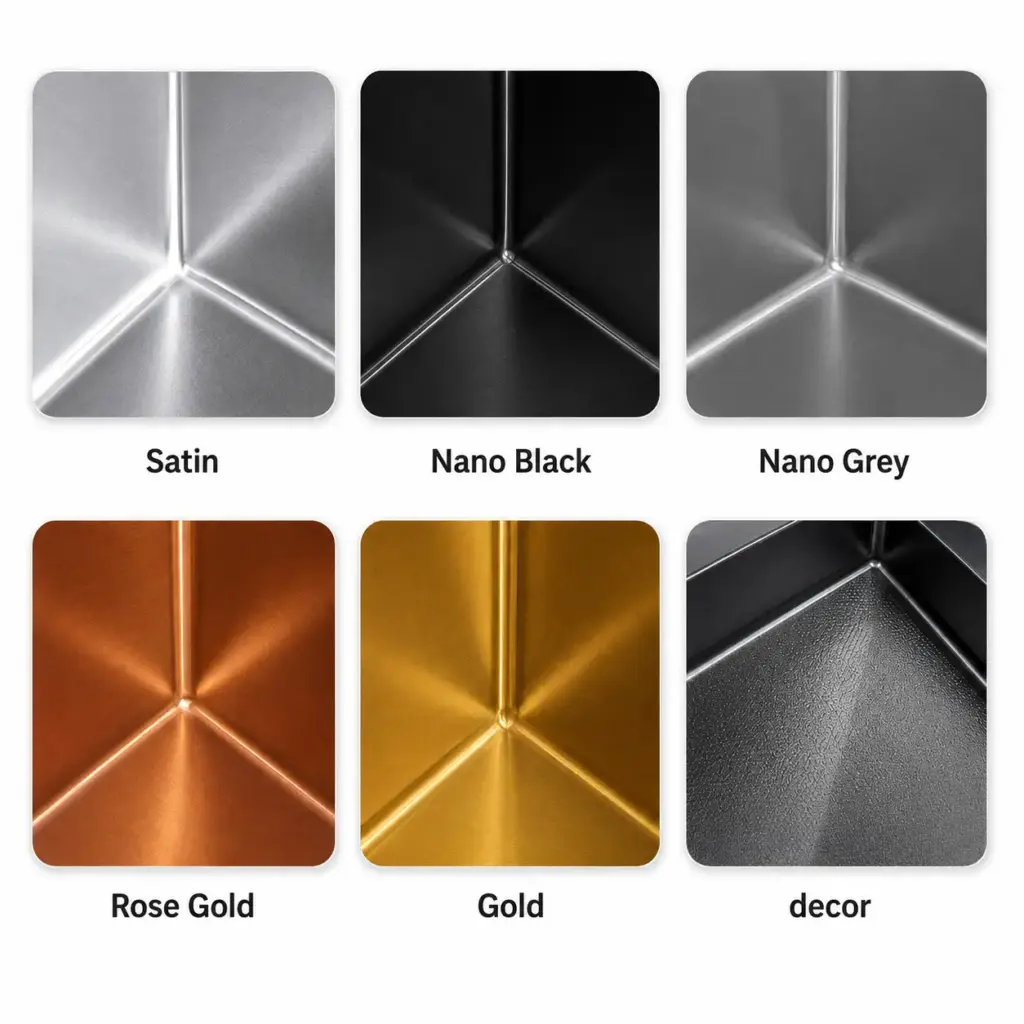
A black or gunmetal sink may be paired with:
- matching drain
- grid
- soap dispenser
- accessory frame
These finishes may not come from the same process or supplier.
Check the complete set visually.
The goal does not have to be “perfect identical color,” but the acceptable appearance should be defined before bulk production.
13. Turn the Sink Over
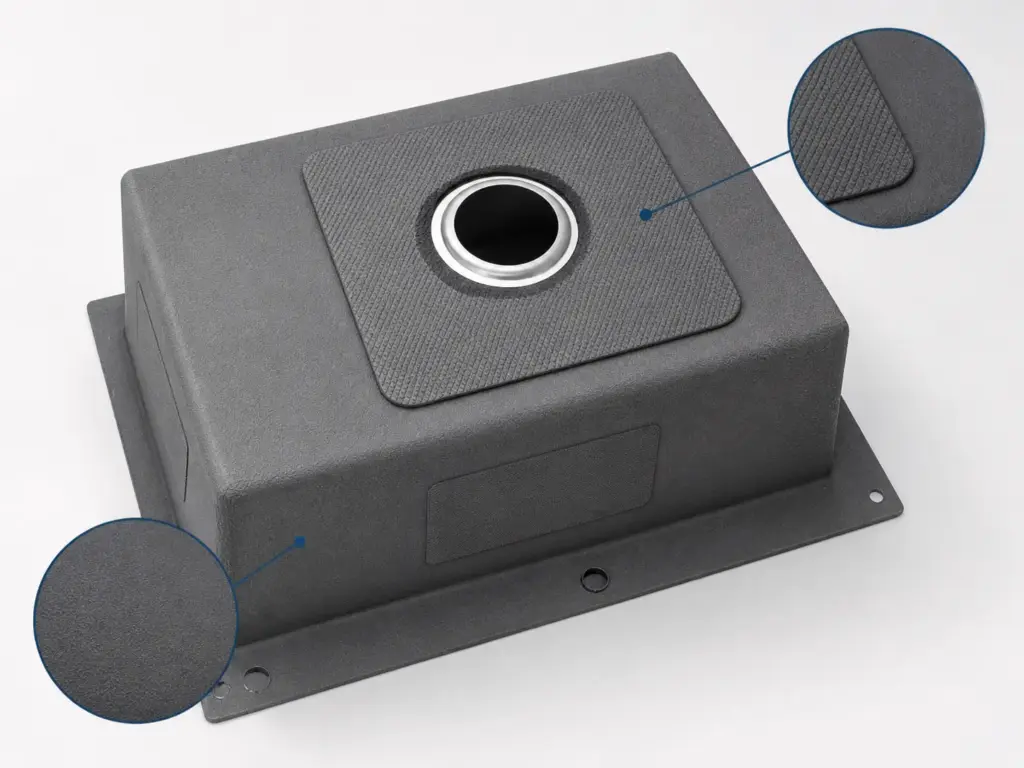
Check:
- sound-pad position
- pad coverage
- undercoating
- drain structure
- mounting components
- visible workmanship
These details can change cost and performance but are easy to miss when buyers focus only on the accessory display on top.
14. Freeze the Accessory List
The approved SKU should clearly state what is included.
For example:
| Component | Approved |
|---|---|
| Sink Body | Yes |
| Drain | Yes |
| Bottom Grid | Yes |
| Cutting Board | Yes |
| Colander | Yes |
| Roll-Up Rack | Yes |
| Soap Dispenser | No |
| Mounting Clips | Yes |
Do not leave the order confirmation at:
Full accessories included.
That wording is too vague for repeat orders.
15. Packaging Is Part of Workstation Sample Approval
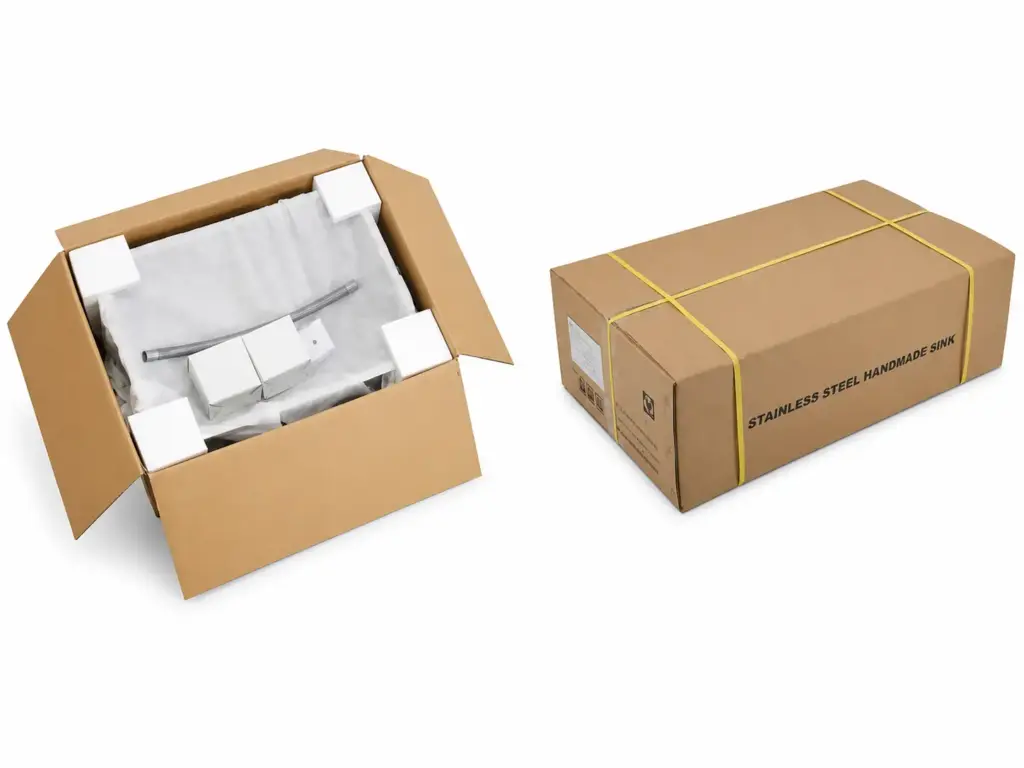
A workstation sink usually contains more loose components than a basic sink.
Before mass production, check:
- where each accessory sits
- whether metal accessories touch the sink surface
- cutting-board protection
- drain packing
- grid protection
- carton movement
- surface protection
- carton quantity
A product can be correct at the factory and still arrive damaged because accessories moved inside the carton.
The final packing layout should therefore be part of the approved SKU.
16. Keep Four References After Approval
For repeat production, retain:
Approved Drawing
Sink and ledge dimensions, drain position and installation geometry.
Golden Sample
Physical fit and appearance.
Accessory Specification
Dimensions, material, finish and quantity.
Packing Reference
Accessory placement, protection and carton configuration.
This is more reliable than asking the factory six months later to:
make it the same as last time.
Workstation Sink Approval Checklist
| Check | What to Confirm |
|---|---|
| Overall Size | Matches approved drawing |
| Bowl Size & Depth | Matches specification |
| Ledge | Width, position, flatness |
| Cutting Board | Fit and movement |
| Colander | Support and sliding clearance |
| Roll-Up Rack | Width and support |
| Bottom Grid | Bowl and drain clearance |
| Drain | Position and component fit |
| Installation | Rim / flange / opening |
| Material | SUS grade |
| Thickness | Approved construction |
| Finish | Sink and accessory appearance |
| Sound Pads | Position and coverage |
| Undercoating | Approved configuration |
| Accessories | Complete SKU list |
| Packing | Protection and component layout |
Buyer Takeaway
A workstation sink should not be approved as:
sink + some accessories.
It should be approved as:
sink geometry + ledge + drain + accessory system + packing.
The sink body can be dimensionally correct and the program can still fail if the cutting board rocks, the grid conflicts with the drain or the accessories move inside the carton.
For workstation programs, fit is part of the product specification.
FAQ
What is the most important part of a workstation sink sample?
The ledge and accessory fit. The sink and accessory set should be evaluated as one system.
Should every accessory be tested on the sample?
Yes. Items such as the cutting board, colander, rack and bottom grid should be checked on the actual sink they are intended to fit.
Why does drain position matter on a workstation sink?
It affects plumbing, grid geometry, usable bowl space and sometimes how accessories are arranged.
Should packing be approved with the workstation sample?
Yes. Multiple accessories can scratch or damage the sink if their positions and protection are not defined.
What should be kept for repeat orders?
Keep the approved drawing, physical sample, accessory specification and packing reference.
Developing a Workstation Sink Program?
Review Matrix Workstation Kitchen Sinks for product structures and accessory options.
For a custom program, use the Kitchen Sink RFQ Checklist to define dimensions, drain position, finish, accessories and packing before sample development.
For repeat-order inspection, see Kitchen Sink Quality Control & Inspection.